Physical Address
304 North Cardinal St.
Dorchester Center, MA 02124
Physical Address
304 North Cardinal St.
Dorchester Center, MA 02124

Through Diversity and Inclusion
Through Diversity and Inclusion
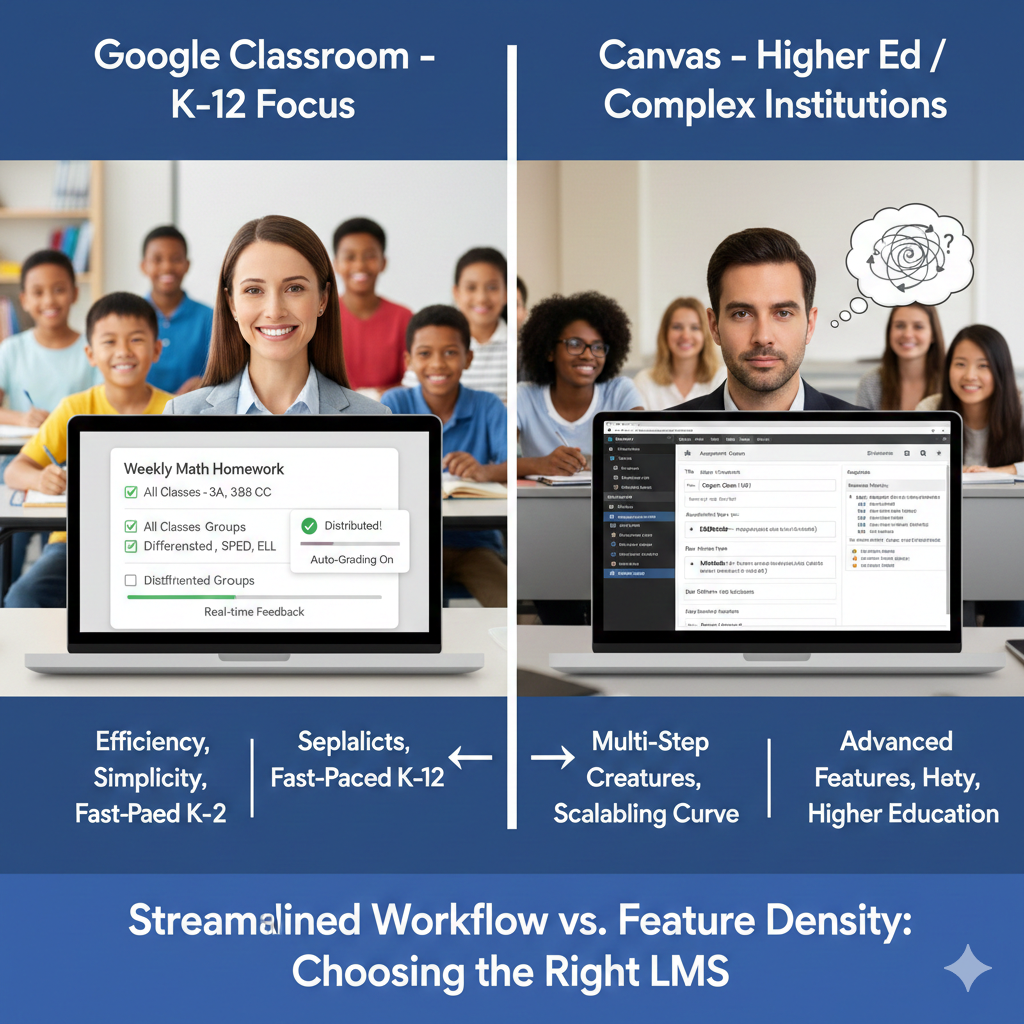
The purpose of this evaluation is to assess instructional productivity and workflow efficiency within a complex K–12 teaching environment that requires frequent differentiation and high-volume instructional management. The task chosen for analysis involves a recurring instructional workflow: assigning a differentiated EdPuzzle activity across four class sections, modifying it for selected students, and completing grading and feedback. This task was evaluated under three conditions—manual distribution without a learning management system (LMS), Google Classroom, and Canvas—to determine how each approach supports efficiency, scalability, and usability. The primary tools under evaluation were Google Classroom and Canvas. These two widely used LMS platforms are designed to facilitate assignment distribution, provide feedback, and enhance instructional organization. Productivity was assessed using established criteria for LMS usability to determine how effectively each approach supports instructional workflows in demanding educational settings (Francom et al., 2021).
My instructional role involves managing daily coursework, grading, providing feedback, communicating, and delivering differentiated instruction across 4 sections of approximately 30 students each. Each section includes two grade levels, immigrant students, non-English language learners, and students with diverse cognitive and learning needs. These conditions require frequent differentiation, clear communication, and efficient digital workflows. The learning management systems (LMSs) used are Google Classroom and Canvas, both of which support assignment distribution, feedback, and integration with instructional tools.
The selected task reflects a high-frequency instructional workflow: assigning a differentiated EdPuzzle activity to four classes, with modifications for 10 selected students, including grading and feedback.
This task was performed three times under each condition:
Productivity and usability were evaluated using criteria commonly referenced in LMS research:
These criteria reflect how instructors perceive usefulness and ease of use in LMS platforms (Francom et al., 2021).
Estimated Hybrid Evaluation Metrics:
| Time | 150 minutes |
| Clicks/steps | 100+ |
| Grading and feedback | Manual grading (about 60 minutes) |
| Output quality | Inconsistent and error-prone |
| Scalability | Very low |
| Cognitive load and learning curve | N/A |
| Training time and effort | N/A |
Estimated Hybrid Evaluation Metrics:
| Time | 90–120 minutes |
| Clicks/steps | 300+ |
| Grading and feedback | Going through each email response |
| Output quality | Inconsistent and error-prone |
| Scalability | Very low |
| Cognitive load and learning curve | N/A |
| Training time and effort | N/A |
Estimated Hybrid Evaluation Metrics:
| Time | 20 minutes |
| Clicks/steps | 20 |
| Grading and feedback | Auto-graded assignment |
| Output quality | High and consistent |
| Scalability | High |
| Cognitive load and learning curve | Minimal |
| Training time and effort | Minimal Iterative exposure and structured training are necessary |
Estimated Hybrid Evaluation Metrics:
| Time | 30 minutes |
| Clicks/steps | 60+ |
| Grading and feedback | Auto-graded assignment |
| Output quality | High and consistent |
| Scalability | High |
| Cognitive load and learning curve | Moderate |
| Training time and effort | Iterative exposure and structured training are necessary |
Illustration: The task was completed by showing the EdPuzzle video to the whole class and pausing at each question while students recorded their responses on paper. This approach required collecting printouts, manually grading, and providing feedback, resulting in a high time investment, many procedural steps, frequent errors, and limited ability to differentiate for students across multiple sections.
Empirical Hybrid Evaluation Metrics:
| Time | 120 minutes |
| Clicks/steps | 150+ |
| Grading and feedback | Manual grading (about 60 minutes) |
| Output quality | Inconsistent and error-prone |
| Scalability | Very low |
| Cognitive load and learning curve | N/A |
| Training time and effort | N/A |
Illustration:
The task was completed by emailing the EdPuzzle link to each student individually across four sections. This process required managing numerous emails, tracking responses, and manually grading and providing feedback, resulting in a high time investment, many steps, frequent errors, and limited scalability, making differentiation difficult to manage for approximately 90 students.
Empirical Hybrid Evaluation Metrics:
| Time | 150 minutes |
| Clicks/steps | 300+ |
| Grading and feedback | Going through each email response |
| Output quality | Inconsistent and error-prone |
| Scalability | Very low |
| Cognitive load and learning curve | N/A |
| Training time and effort | N/A |
Illustration:
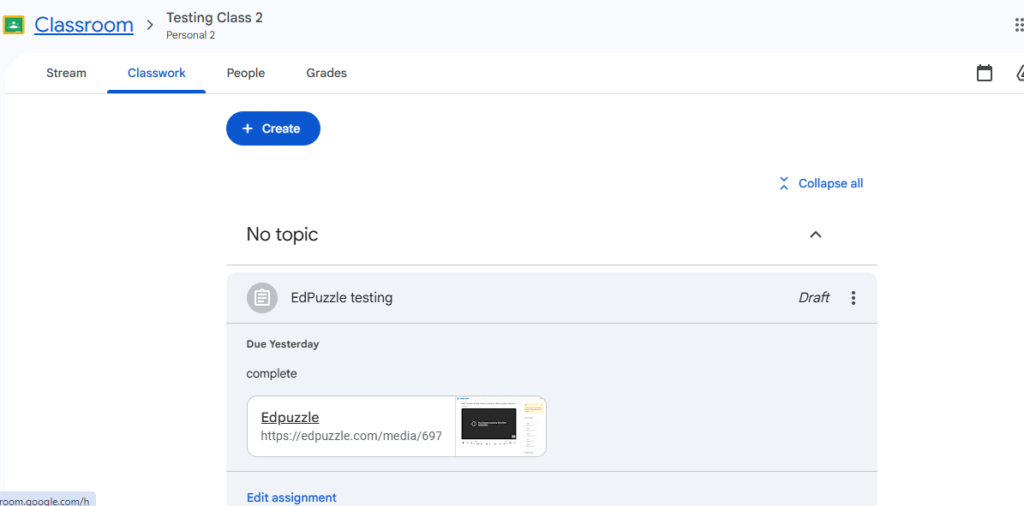
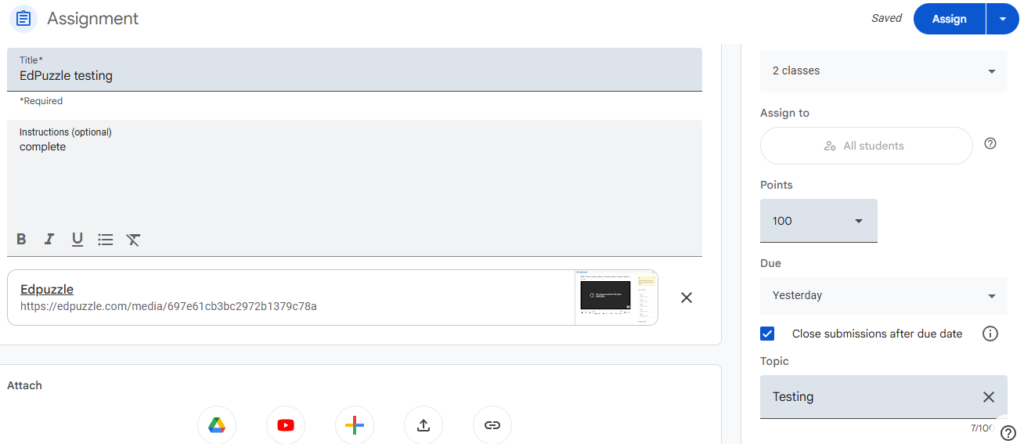
The assignment was created just once and assigned to all four classes with minimal effort. Differentiated supports, such as an adapted edPuzzle that included closed captioning and fewer questions, were easily applied to a selected group of students from the same interface. This was accomplished by simply removing those students from the initial assignment and assigning them separately, without the need to enter each class or create or copy separate assignments. Additionally, auto-grading and real-time feedback streamlined the workflow, making the entire process more efficient and scalable.
Empirical Hybrid Evaluation Metrics:
| Time | Less than 10 minutes |
| Clicks/steps | Less than 15 clicks/steps |
| Grading and feedback | Auto-graded assignment |
| Output quality | High and consistent |
| Scalability | High |
| Cognitive load and learning curve | Minimal |
| Training time and effort | Minimal Iterative exposure and structured training are necessary |
Francom et al. (2021) note that Google Classroom’s design is well-suited to K–12 contexts due to its streamlined workflow and integration with Google Apps for Education, which support efficient document sharing and feedback.
Illustration:
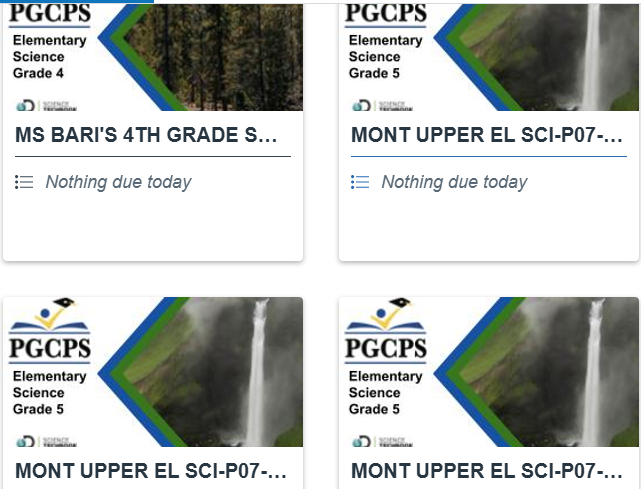
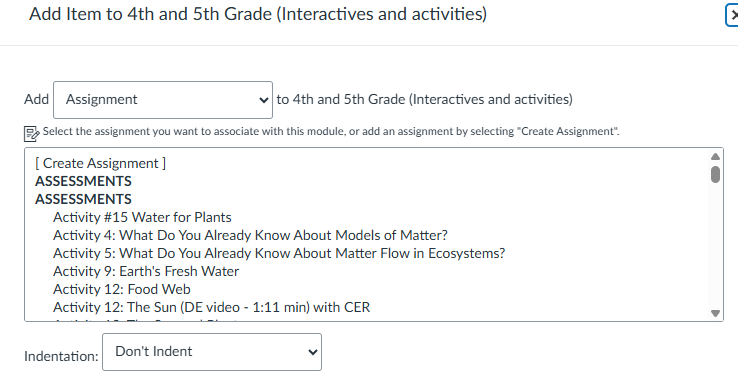
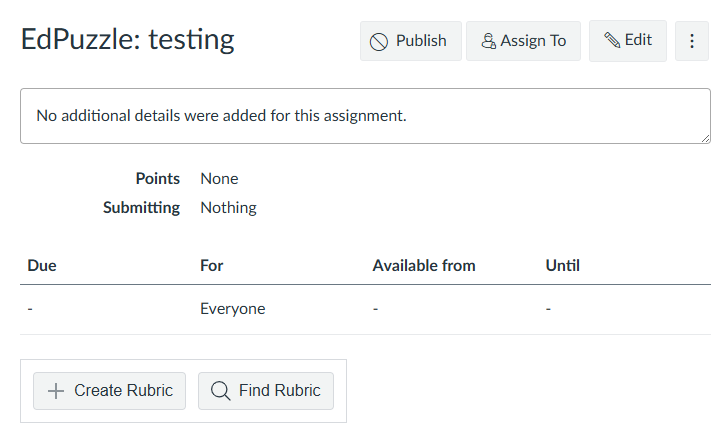
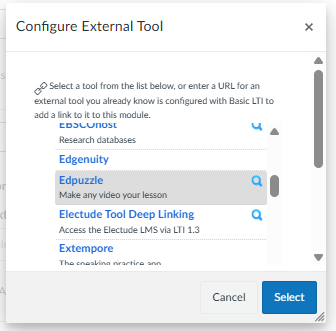
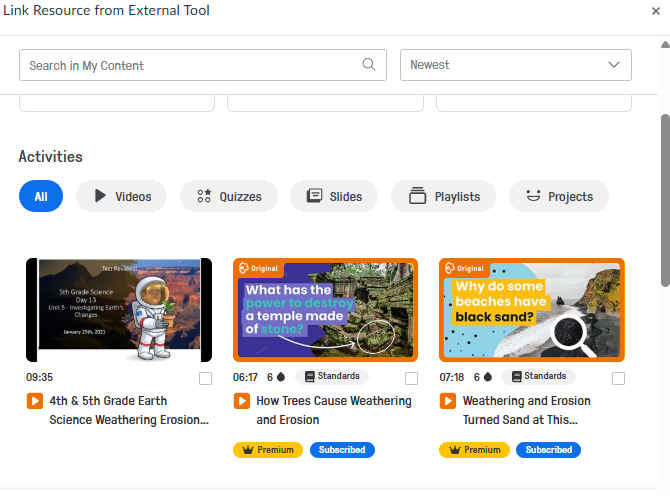
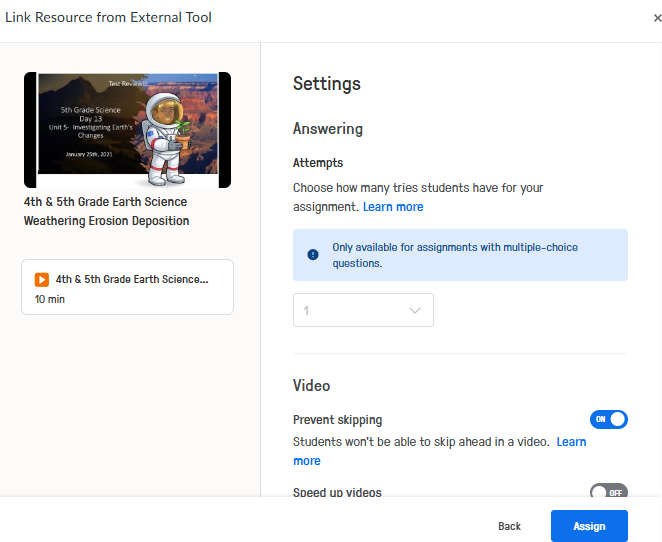
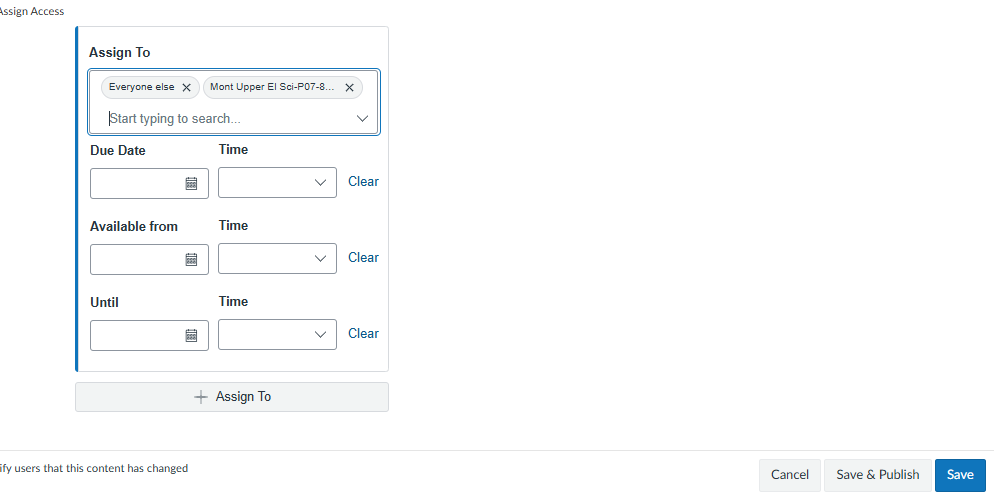
The assignment needed to be created and edited individually for each of the four classes. Linking the EdPuzzle required several steps, including entering both the assignment title and the embedded EdPuzzle title for each class. Additionally, to create modified versions for specific student groups within each class, it was necessary to remove a selected group of students needing modification from the initial assignment and assign them separately. This process significantly increased the time spent, as well as the navigation and cognitive load.
Empirical Hybrid Evaluation Metrics:
| Time | 40 minutes |
| Clicks/steps | 50-60 |
| Grading and feedback | Auto-graded assignment |
| Output quality | High and consistent |
| Scalability | Higher |
| Cognitive load and learning curve | High |
| Training time and effort | Iterative exposure and structured training are necessary |
Canvas provides essential instructional functions, but it can hinder productivity due to its complexity and steep learning curve. Assignments need to be created separately for each class, and copying them across courses is often unreliable, leading to extra navigation steps for both instructors and students. For instance, linking EdPuzzle requires multiple clicks, including entering both the assignment title and the embedded title for each class. Additionally, creating modified versions for specific student groups demands extra steps, increasing time and cognitive load. Magalhães et al. (2024) highlight that while Canvas is effective, its usability depends on user familiarity, underscoring the need for structured training to support diverse learners. In terms of scalability, Canvas is considered more robust than Google Classroom and is particularly suited for large institutions that manage complex educational structures.
Note on Complexity and Learning Curve: While Canvas provides advanced features and flexibility, its multi-step workflows can increase cognitive load. Training provided by the district can help alleviate this complexity, but the time required to learn and effectively apply these features represents a productivity cost, especially in fast-paced K–12 instructional settings.
Both Google Classroom and Canvas significantly improve instructional productivity compared to manual assignment distribution, which is time-consuming, error-prone, and difficult to scale for multiple classes and differentiated student needs. Google Classroom excels in K–12 contexts due to its streamlined workflow, minimal navigation steps, and ease of applying differentiated supports, allowing assignments to be created once and distributed to all classes efficiently (Francom et al., 2021). Canvas, while offering advanced features and greater scalability for large institutions, requires multi-step workflows, separate assignment creation for each class, and additional steps for modified student versions, increasing cognitive load and time investment (Francom et al., 2021; Magalhães et al., 2024). Structured training and iterative exposure can mitigate these challenges in Canvas, but for fast-paced K–12 settings with diverse learners, simplicity and workflow efficiency make Google Classroom the more practical tool.
Based on the productivity analysis, task complexity, and usability criteria, Google Classroom is recommended as the most effective tool for this instructional context. Its streamlined workflow allows assignments to be created once, easily differentiated for selected students, and distributed across multiple sections with minimal steps. Auto-grading and real-time feedback reduce instructional time and cognitive load while maintaining high-quality, consistent output. In fast-paced K–12 environments that serve diverse and multilingual learners, Google Classroom’s simplicity and scalability make it the most efficient and practical choice for daily instructional tasks. Canvas remains a powerful and robust LMS; however, its greater complexity and steeper learning curve reduce efficiency for daily instructional tasks for K-12. For instructors balancing heavy workloads and diverse student populations, streamlined workflows—rather than feature density—are the primary driver of productivity. Canvas is less effective for K–12 because its complex, multi-step workflows increase cognitive load and reduce efficiency for daily, high-frequency teaching tasks. It is better suited for higher education, where learners are more independent, and instructors benefit from Canvas’s advanced features, scalability, and support for complex course structures.
Francom, G. M., Schwan, A., & Nuatomue, J. N. (2021). Comparing Google Classroom and D2L Brightspace using the technology acceptance model. TechTrends: Linking research & practice to improve learning, 65(1), 111–119. https://doi.org/10.1007/s11528-020-00533-0
Magalhães, P., Pereira, B., Figueiredo, G., Aguiar, C., Silva, C., Oliveira, H., & Rosário, P. (2024).An iterative mixed-method study to assess the usability and feasibility perception of CANVAS® as a platform to deliver interventions for children. International journal of human-computer interaction, 40(23), 8057–8075. https://doi.org/10.1080/10447318.2023.2277491